apps
everything that was open. missing ones are launched quietly in the background, so your focus doesn't jump around.
no permission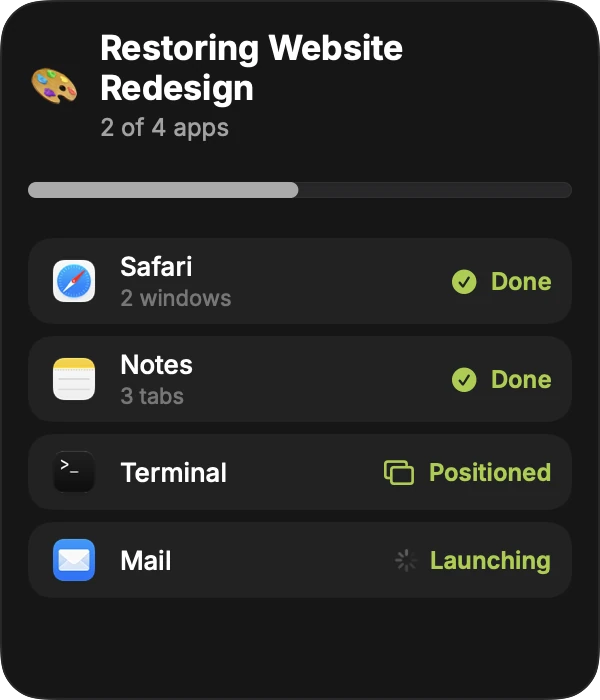
mokiwa remembers the apps, windows, tabs and folders that belong to a project and puts them back exactly where you left them. one key to save, one key to restore.
⌥1 save ⌥2 restore
01 how it works
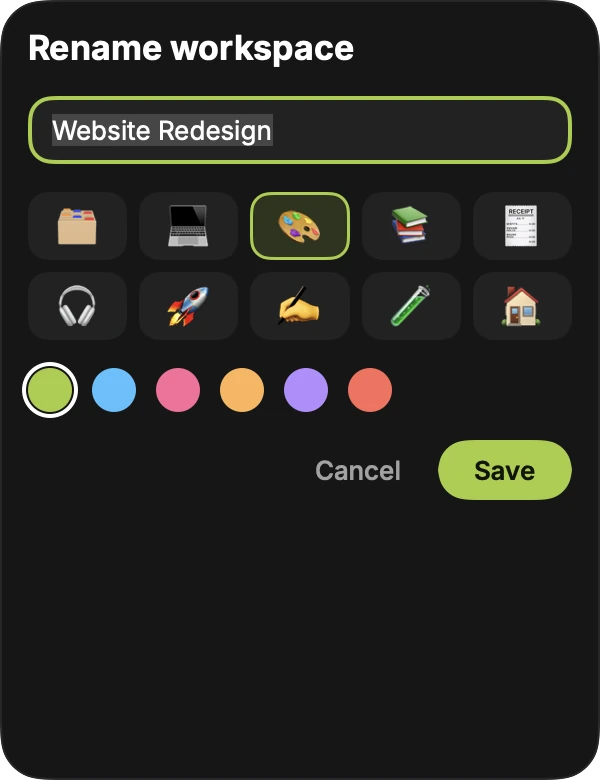
set the project up the way you like it, then press the key. mokiwa suggests a name from the folder you're in. takes about a second.
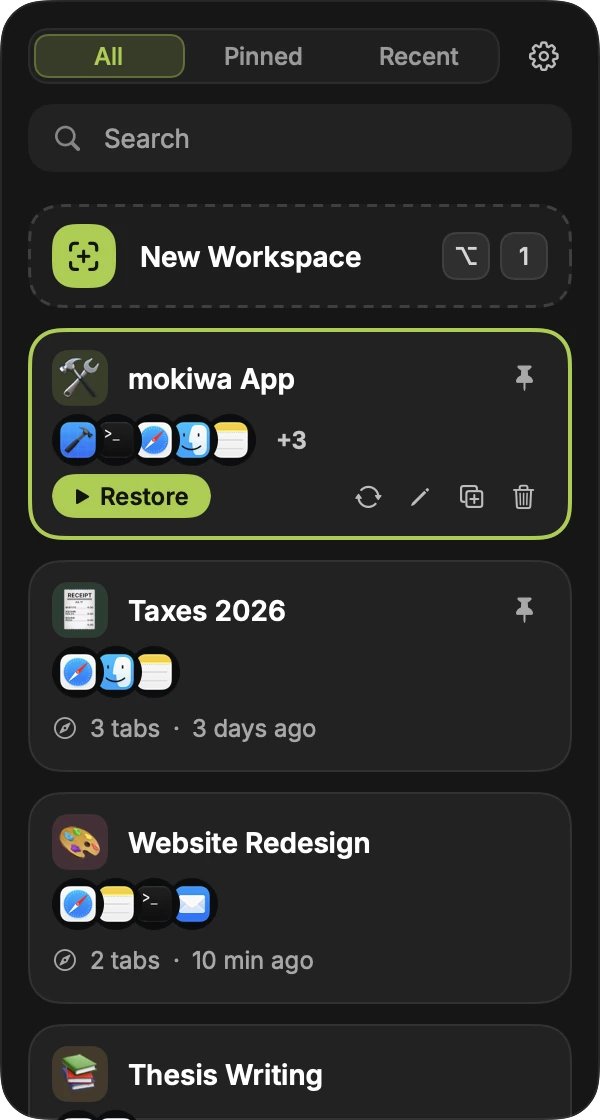
it slides in from the edge of whatever screen you're on, over any app, even full screen. start typing to search.
apps launch, windows land where they were, tabs and folders reopen. a progress list shows what's happening, app by app.
02 what it saves
a snapshot is a few kilobytes of text. nothing about what's inside your windows.
everything that was open. missing ones are launched quietly in the background, so your focus doesn't jump around.
no permission
position and size of every window, on the right display. smaller screen, or one's unplugged? windows are fitted onto what you have.
accessibilitysafari, chrome, arc and brave. tabs already open aren't duplicated, private windows are skipped.
automationterminal, iterm2 and ghostty. mokiwa reads each shell's working directory, no scripting needed.
no permissionthe folders you had open.
accessibilityxcode, vs code, cursor and zed. best effort, since editors don't all say what's open.
accessibility03 keyboard
| ↑↓ | move through your workspaces |
|---|---|
| ⌘1–9 | restore the first to ninth one straight away |
| ⌘P | pin a workspace to the top |
| ⌘⌫ | delete it. there's six seconds to undo |
| esc | slide it away |
04 privacy
"capture" means writing down app names, window frames, urls and folder paths. no screenshots and no screen recording permission. workspaces are saved as encrypted files in ~/Library/Application Support/mokiwa, readable only by you, with the key in your keychain.
1password, bitwarden, keepassxc and friends are excluded by default, and you can add any app to the list.
turn it on and you sign in through your browser, so signing in never puts your password into the app. synced workspaces live on api.mokiwa.com, encrypted in transit and encrypted in the database. the server holds the keys, so it is not end-to-end encrypted, and i'd rather tell you that than hide it.
you get an email when a new device signs in, and your account page lists them all so you can sign any of them out.
delete your account in the app and everything synced goes with it. workspaces on your mac stay.
the only statistics: the app counts itself as an install (a random id, the app and macos version, your language) when it starts. there is no account, no ip and nothing about what you saved, and a switch in settings turns it off. this website counts page views without cookies or tracking ids.
05 honest limits
06 questions
App names, window positions and sizes, browser tabs (Safari, Chrome, Arc and Brave), terminal and Finder folders, and editor projects. It saves text and numbers only, never a picture of your screen, so it does not need the Screen Recording permission.
Press ⌥1 to save what is open as a workspace, and ⌥2 to open the sidebar. Pick a workspace and press Return. mokiwa launches the apps, puts the windows back where they were and reopens the tabs and folders.
Accessibility, to read and move windows, and Automation for each browser you want tabs restored in. Both are optional and explained before macOS asks. Without them apps still launch, but windows are not moved.
Workspaces are stored as encrypted files on your Mac with a key in your keychain. Password managers are excluded by default. Sync is optional; synced data is encrypted in transit and in the database, but the server holds the keys, so it is not end-to-end encrypted.
Only an anonymous install count: a random id with the app version, macOS version, chip and language, sent when the app starts. There is no account, no IP is kept and nothing about your workspaces is sent. You can turn it off in Settings. The website counts page views without cookies.
Any Mac running macOS 14 Sonoma or later, Apple silicon or Intel.
It checks for new versions in the background and shows an update banner. One click downloads, verifies and installs the new version, then relaunches.
needs macOS 14 or later. the first time, mokiwa asks for accessibility (to move windows) and, if you use them, automation for your browsers. each is explained before you're asked, and every one is optional.